
Download HiSolver – AI Learning Platform, Free, Secure, Cross‑Platform
Overview of HiSolver
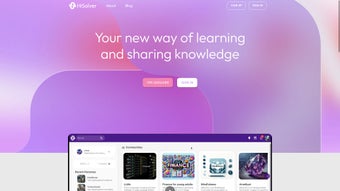
HiSolver is an innovative AI‑powered web application built to accelerate learning and problem‑solving for students, professionals, and lifelong learners. At its core, HiSolver combines a sophisticated natural‑language processing engine with a vibrant community of experts and peers. Users type questions in plain language, and the platform instantly delivers personalized answers, step‑by‑step explanations, and relevant resources.
What sets HiSolver apart is its collaborative focus: every answer is visible to the whole community, inviting alternative viewpoints, follow‑up questions, and shared insights. The knowledge base continuously grows as users contribute new solutions, making the platform a living repository of real‑world problem‑solving strategies. HiSolver’s design emphasizes accessibility; the interface is clean, responsive, and works seamlessly on desktop browsers as well as mobile devices.
Security is baked in, with encrypted connections and privacy‑first policies that protect user data. Whether you’re mastering calculus, debugging code, preparing for a certification exam, or simply satisfying curiosity, HiSolver offers a secure, free, and constantly updated environment that adapts to your learning style. Its AI engine learns from each interaction, gradually improving answer relevance and tailoring suggestions to individual skill levels.
In short, HiSolver is more than a question‑and‑answer site—it’s a dynamic learning companion that encourages critical thinking, peer interaction, and continuous skill enhancement. The platform also supports offline bookmarking, allowing learners to save essential explanations for study sessions without an internet connection, which is especially useful for commuters or students in areas with limited bandwidth. By combining AI speed with human expertise, HiSolver bridges the gap between quick answers and deep understanding, positioning itself as a go‑to resource for anyone who values efficient, reliable, and collaborative learning.
Key Features That Make HiSolver Stand Out
HiSolver packs a rich set of capabilities that cater to a wide audience, from high‑school students tackling algebra to software engineers debugging complex code. Each feature is designed to be intuitive yet powerful, ensuring that users can focus on learning rather than wrestling with the tool itself. The platform’s real‑time AI responses are complemented by a strong community layer, allowing multiple experts to enrich each answer with alternative methods, proofs, or practical tips. Personalization engines monitor progress and suggest next steps, while the ever‑growing knowledge base ensures that past solutions remain searchable and reusable. Below is a comprehensive list of the most impactful features.
- Real‑time AI‑driven Answers: Powered by advanced natural language processing, HiSolver understands nuanced queries and delivers instant, step‑by‑step solutions.
- Community Collaboration: Answers are visible to the entire user base, enabling multiple experts to contribute alternative methods and explanations.
- Personalized Learning Paths: The platform tracks user interactions and recommends topics that match your current proficiency level.
- Comprehensive Knowledge Base: All previously answered questions are searchable, creating a growing archive of vetted solutions.
- Cross‑Device Compatibility: Fully responsive design works on Windows, macOS, Android, iOS, and any modern web browser.
- Secure Data Handling: End‑to‑end encryption and strict privacy controls keep your queries and personal information safe.
- Offline Bookmarking: Save important answers for offline review, useful for studying without an internet connection.
- Regular AI Model Updates: The underlying algorithm is updated monthly, ensuring the latest academic standards and industry practices are reflected.
- Multilingual Support: Currently supports English, Spanish, French, and Mandarin, with plans to expand.
- Free Access with Optional Premium Add‑ons: Core functionality is free; premium features such as advanced analytics and private tutoring are available via a modest subscription.
Installation, Usage & Compatibility
How to Get Started
HiSolver is a web‑based platform, which means there is no traditional installation required. To begin, simply visit hisolver.com using any modern browser (Chrome, Firefox, Safari, Edge). For users who prefer a native feel, HiSolver offers progressive web app (PWA) support. Click the “Add to Home Screen” prompt on your mobile device or desktop to create an app‑like shortcut that launches the platform in a full‑screen window, providing offline caching for the UI. The PWA also enables push notifications for new answers on topics you follow, keeping you engaged without constantly checking the site.
First‑time User Workflow
After opening the site, you’ll be prompted to create a free account using an email address or single‑sign‑on options (Google, Microsoft, Apple). Account creation takes under a minute and unlocks the ability to save answers, follow topics, and earn reputation points. Once logged in, the dashboard presents a clean search bar at the top.
Type your question in natural language—e.g., “How do I solve a quadratic equation?”—and press Enter. Within seconds, the AI returns a concise answer, a detailed walkthrough, and links to related questions in the knowledge base. You can up‑vote helpful answers, add comments for clarification, or submit your own solution to contribute to the community.
For power users, a keyboard shortcut guide is available (Ctrl + Enter to submit, Ctrl + K to focus the search bar, etc.), making the workflow even faster. The platform also offers a “Study Mode” where you can create custom quizzes from bookmarked solutions, reinforcing retention through active recall.
Supported Operating Systems & Devices
Because HiSolver runs entirely in the browser, it is compatible with all major operating systems:
- Windows 10, 11 and later
- macOS Monterey, Ventura, and later
- Linux distributions with a recent Chromium‑based browser
- Android 8.0 (Oreo) and newer
- iOS 13 and newer (iPadOS included)
The responsive UI automatically adjusts layout, button size, and typography to deliver an optimal experience on tablets, smartphones, and large monitors. For desktop power users, a dark mode is available to reduce eye strain during long study sessions. The platform also supports screen readers and high‑contrast themes, ensuring accessibility for users with visual impairments. In addition, HiSolver’s API can be integrated into learning management systems (LMS) via secure OAuth tokens, allowing institutions to embed the AI assistant directly into their courses.
Pros, Cons, FAQ & Final Thoughts
Pros
- Instant AI‑generated answers with step‑by‑step explanations.
- Strong community component that encourages multiple perspectives.
- Free core features; premium add‑ons are reasonably priced.
- Cross‑platform web access eliminates the need for bulky installations.
- Secure, privacy‑first design with encrypted connections.
- Regular updates keep the AI model current with academic standards.
- Offline bookmarking lets you study without an internet connection.
- Multilingual support expands accessibility for non‑English speakers.
- Progressive Web App offers a native‑like experience on mobile devices.
- Extensive keyboard shortcuts improve productivity for power users.
Cons
- Reliance on internet connectivity for real‑time AI processing (offline mode limited to saved content).
- Premium features (e.g., private tutoring) may be necessary for advanced learners.
- Multilingual support is still expanding; non‑English users may encounter fewer resources.
- Occasional latency spikes during peak usage periods.
- Search algorithm can surface older answers that may be outdated without manual verification.
- Some institutions may require additional compliance documentation for LMS integration.
Frequently Asked Questions
Is HiSolver completely free?
The core platform, including AI answers and community features, is free. Optional premium add‑ons such as advanced analytics, priority AI response, and private tutoring are available via a subscription.
How does HiSolver protect my privacy?
All data transmission uses HTTPS with TLS encryption. HiSolver does not sell personal data and follows GDPR‑compatible policies. Users can delete their accounts and all associated data at any time.
Can I use HiSolver on my mobile device?
Yes. HiSolver works on Android and iOS browsers and offers a Progressive Web App experience that can be added to your home screen for a native‑like feel.
What subjects does HiSolver cover?
The platform currently supports mathematics, physics, chemistry, computer science, engineering, finance, and general knowledge topics. The community continuously expands coverage as users contribute new content.
How often is the AI model updated?
HiSolver’s AI engine receives monthly updates that incorporate the latest research, curriculum changes, and user feedback to improve answer accuracy and relevance.
Is there a way to integrate HiSolver with my school’s LMS?
Yes. HiSolver provides a secure API and OAuth‑based authentication that allows LMS platforms such as Canvas, Moodle, and Blackboard to embed the AI assistant directly into course pages.
Conclusion & Call to Action
HiSolver delivers on its promise of an AI‑enhanced, collaborative learning environment that is both free and secure. The blend of instant, personalized answers with a thriving community makes it an indispensable tool for anyone looking to deepen knowledge or solve complex problems quickly. While a stable internet connection is required for the AI component, the ability to bookmark and review saved answers offline mitigates this limitation for most study scenarios. If you’re ready to accelerate your learning, boost problem‑solving confidence, and join a global network of curious minds, simply visit hisolver.com, create a free account, and start asking questions today. The future of collaborative education is just a click away.



.png)



